Understanding Mechanical Switch Types

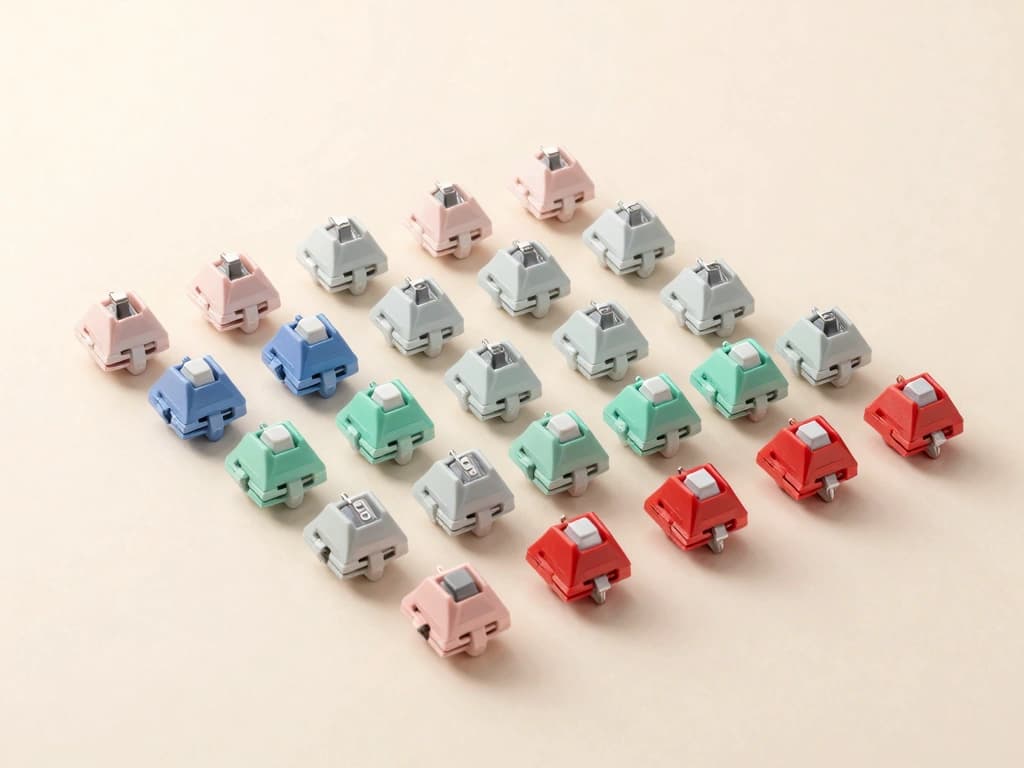
Mechanical keyboards have gained immense popularity among typists due to their tactile feedback, durability, and overall typing experience. Central to this experience are the mechanical switches, which come in three main types: linear, tactile, and clicky. Each type offers a unique typing feel and sound, catering to different preferences and typing styles. In this section, we will delve into these switch types to help you understand which might be the best for your needs.
Linear Switches: Smooth and Silent Typing
Linear switches are characterized by their smooth keystroke without any tactile bump or audible click. This makes them ideal for typists who prefer a quieter typing experience. The absence of tactile feedback allows for rapid key presses, making linear switches popular among gamers as well.
- Examples: Cherry MX Red, Gateron Red, Kailh Red
- Actuation Force: Typically between 45g and 60g
- Travel Distance: Generally 4mm with a 2mm actuation point
These switches excel in a smooth typing experience, allowing for fast and fluid keystrokes, which can be beneficial for prolonged typing sessions. However, the lack of feedback may lead some typists to feel less connected to their typing, particularly when aiming for accuracy.
Tactile Switches: Feedback for Optimal Typing
Tactile switches provide a noticeable bump at the actuation point, giving typists feedback that indicates a key has been pressed without having to bottom out. This tactile feedback can help improve typing accuracy and speed by allowing typists to feel the actuation without needing to fully depress the key.
- Examples: Cherry MX Brown, Gateron Brown, Kailh Brown
- Actuation Force: Typically around 45g
- Travel Distance: Generally 4mm with a 2mm actuation point
These switches are favored by typists who value feedback and precision. The tactile bump can help in reducing finger fatigue during long typing sessions, making them a popular choice for professional typists and writers.
Clicky Switches: Auditory Cues for Accuracy
Clicky switches combine tactile feedback with an audible click sound, providing both a sensory and auditory cue that a key has been actuated. This can enhance the typing experience for those who enjoy the sound of keys being pressed.
- Examples: Cherry MX Blue, Gateron Blue, Kailh Box White
- Actuation Force: Typically around 50g
- Travel Distance: Generally 4mm with a 2mm actuation point
While clicky switches can be satisfying to type on, the noise they produce may not be suitable for all environments, particularly open offices or shared workspaces. Nevertheless, they are often preferred by those who enjoy a more tactile and auditory typing experience.
Key Characteristics Affecting Typing Experience
When comparing mechanical keyboard switches, several key characteristics can significantly influence your typing experience. Understanding these factors can help you make an informed decision on which switch type best suits your needs.
Actuation Force: Finding Your Ideal Resistance
The actuation force refers to the amount of pressure required to register a keypress. This force is measured in grams and can vary widely between different switches. As a typist, finding the right actuation force is crucial for comfort and typing speed.
- Light Switches: Typically require less than 45g of actuation force, ideal for rapid typing.
- Medium Switches: Usually require around 45g to 55g, offering a balance between speed and feedback.
- Heavy Switches: Require more than 55g, suitable for those who prefer a more deliberate typing experience.
For example, if you are a light typist, you might find Cherry MX Red switches comfortable, while heavier typists may prefer Cherry MX Black switches, which require a higher actuation force.
Travel Distance: Impact on Typing Speed and Comfort
The travel distance is the distance a key travels from its resting position to when it bottoms out. Traditional mechanical switches typically have a travel distance of around 4mm, with an actuation point often at 2mm. A shorter travel distance can facilitate quicker typing while a longer travel distance may provide a more relaxed typing experience.
- Standard Travel: 4mm (e.g., Cherry MX and Gateron switches)
- Short Travel: 3.5mm or less (e.g., some gaming-focused switches)
Typing speed can be affected by travel distance; shorter distances allow for faster keypresses, while longer distances can lead to more deliberate typing. This is particularly important for typists looking to increase their words per minute (WPM) rate.
Durability: Lifespan of Mechanical Switches for Heavy Typists
Durability is another critical factor when choosing mechanical switches, especially for heavy typists. The lifespan of mechanical switches is typically measured in key presses, with high-quality switches rated for 50 million to 100 million keystrokes.
- Cherry MX: Rated for 50 million keystrokes
- Gateron: Rated for 50 million keystrokes
- Kailh: Rated for 70 million keystrokes
For typists who spend several hours daily on their keyboard, investing in a switch with high durability can lead to a longer-lasting keyboard and a better return on investment over time.
Comparing Popular Mechanical Switch Brands
Several brands manufacture mechanical switches, each offering unique characteristics and variations. The following sections will compare some of the most popular brands used in mechanical keyboards for typists.
Cherry MX: The Industry Standard
Cherry MX switches are perhaps the most well-known mechanical switches and are often considered the gold standard in the industry. They offer a variety of switch types, including linear (Red), tactile (Brown), and clicky (Blue) switches. Cherry MX switches are renowned for their reliability and performance.
- Pros: Widely available, consistent quality, and a vast array of options.
- Cons: Can be pricier than other brands.
For typists, Cherry MX Brown switches provide an excellent balance of tactile feedback and quiet operation, making them a popular choice for office environments.
Kailh: Versatility and Innovation
Kailh switches have gained popularity for their diverse range of options and innovative designs. They offer various switch types, including the Kailh Box series, known for their dust and water resistance.
- Pros: Affordable, wide variety of switches, including unique tactile and clicky options.
- Cons: Some switches may not be as durable as Cherry MX.
For typists seeking a budget-friendly option, Kailh Brown or Box White switches can be excellent alternatives, providing tactile feedback at a lower cost.
Gateron: Smoothness and Value for Money
Gateron switches are lauded for their smooth keystrokes and are often seen as a more affordable alternative to Cherry MX switches. They offer a variety of switch types, including linear, tactile, and clicky options.
- Pros: Smooth typing experience, generally less expensive than Cherry MX.
- Cons: May not have the same level of durability.
Many typists appreciate Gateron Brown switches for their smooth tactile feedback, making them a popular choice among writers and coders alike.
Switches for Different Typing Styles
Not all typists are created equal, and different typing styles can greatly impact the choice of mechanical switches. In this section, we will explore which switches may be best suited for various typing styles.
Touch Typing: Best Switches for Accuracy
For touch typists, accuracy is paramount. Tactile switches that offer feedback without excessive noise are often the best choice. The following switches are recommended:
- Cherry MX Brown: Provides tactile feedback without being too loud.
- Gateron Brown: Similar to Cherry MX Brown but often smoother.
- Kailh Brown: Affordable option with good feedback.
These switches help typists avoid bottoming out, allowing for a more comfortable and efficient typing experience.
Gaming vs. Typing: Finding the Right Balance
For those who switch between typing and gaming, a versatile switch that performs well in both scenarios is essential. Linear switches tend to be favored in gaming due to their smooth keystrokes, while tactile switches are preferred for typing. The following options strike a balance:
- Cherry MX Red: Smooth and quiet, suitable for gaming with decent feedback for typing.
- Kailh Speed Silver: Designed for fast actuation, ideal for both gaming and typing.
These switches allow for quick responses in gaming while still providing an acceptable typing experience.
Custom Switches: Tailoring to Personal Preferences
For the most discerning typists, custom mechanical switches offer the ability to tailor the typing experience to personal preferences. Custom switches can vary in actuation force, travel distance, and even the materials used in construction.
- Examples: Holy Panda switches, which combine a tactile bump with a smooth keystroke.
- Customization: Options for lubing, spring swapping, and different housing materials.
Building a custom switch allows typists to create a personalized experience that can enhance comfort and typing efficiency.
Testing and Choosing Your Ideal Switch
Choosing the right mechanical switch can be overwhelming, given the plethora of options available. Here are some methods to effectively test and select your ideal switch.
Try Before You Buy: Switch Testing Methods
Many retailers and keyboard expos offer the opportunity to test different switches before purchasing. Here are some methods to consider:
- Switch Tester Kits: Small devices that allow you to try different switch types in one compact unit.
- Keyboard Demos: Some stores have keyboards set up with different switches for hands-on testing.
Testing switches in person can provide invaluable insight into how they feel and sound, which is crucial for making a final decision.
Community Recommendations: Learning from Other Typists
Online communities and forums are rich resources for typists seeking advice on mechanical switches. Platforms like Reddit and dedicated mechanical keyboard forums often feature discussions about various switch types. When seeking recommendations, consider:
- Typing Style: Many typists share their experiences based on their personal preferences and typing styles.
- Usage Scenarios: Reviews from typists who use their keyboards for similar purposes (coding, writing, gaming).
Engaging with the community can reveal insights and recommendations that you may not have considered.
Personalizing Your Setup: Keycap and Switch Combinations
Once you've selected your preferred switch, personalizing your keyboard with keycap options can further enhance your typing experience. Keycaps come in various shapes, profiles, and materials, and can significantly affect how a switch feels. Consider the following:
- Material: ABS vs. PBT keycaps; PBT is generally more durable.
- Profile: SA, DSA, or Cherry profile keycaps can change the feel of your keyboard.
Experimenting with different keycap styles and materials can lead to a more enjoyable typing experience tailored to your preferences.
Conclusion
Mechanical keyboard switches play a crucial role in the typing experience, and understanding the differences between switch types is essential for selecting the right one for your needs. By considering factors such as actuation force, travel distance, durability, and personal typing style, you can make an informed decision that enhances your efficiency and comfort. As you explore different brands and options, remember to test various switches in person and seek recommendations from fellow typists. Ultimately, the right mechanical switch can transform your typing experience, making it more enjoyable and productive.